


















Play Pokelike online, build a Pokémon-style team, earn badges, clear the Elite Four, and test stronger teams in Battle Tower.
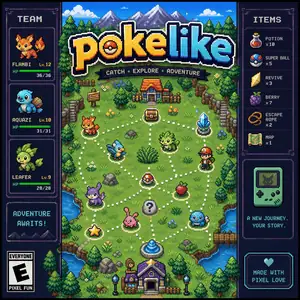
Here's a quick look at the game:
Pokelike is a fan-made browser roguelike built around Pokémon-style team building. In Pokelike, you choose a starter, move through battle and reward events, catch or recruit new Pokémon, collect items, earn badges, and try to defeat the Elite Four.
Pokelike is not an official Pokémon release. It is made for players who enjoy short runs, type coverage, team planning, and run-based progression.
Recent Pokelike updates added a Gen I / Gen II region toggle, Johto runs, Battle Tower progression, achievements, cloud sync, and better collection tools.
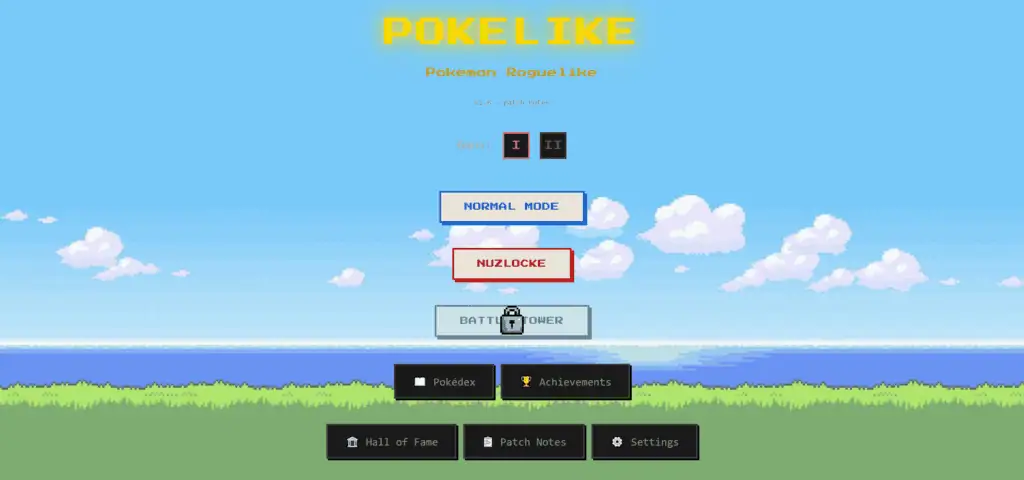
What You Do in Pokelike
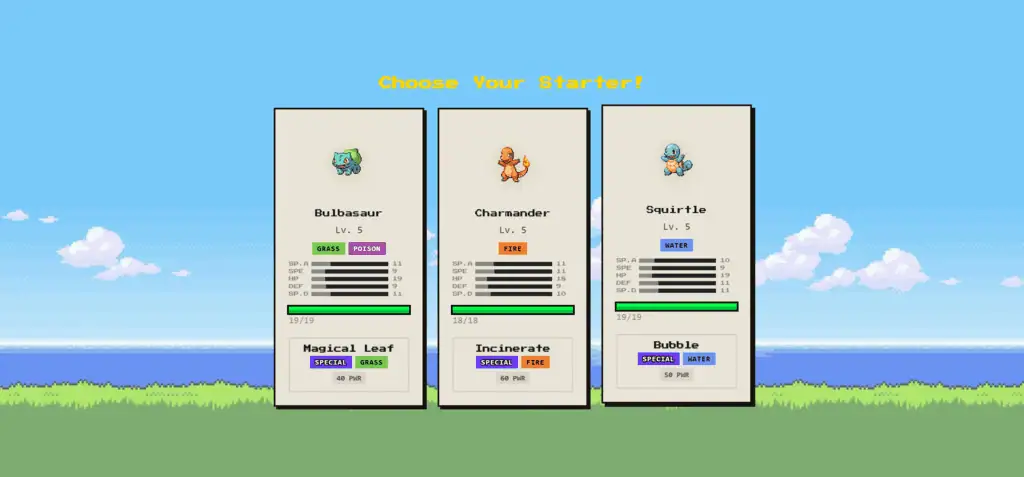
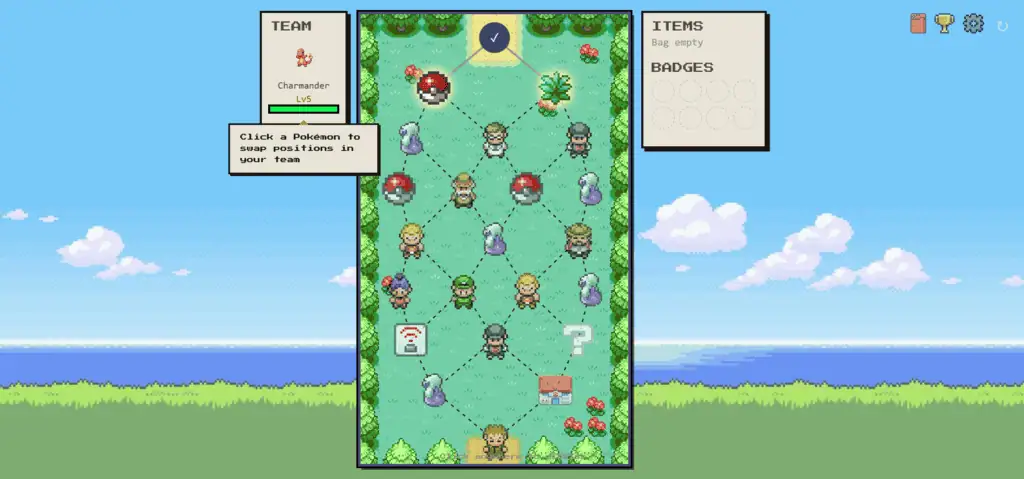
Each Pokelike run starts with a character choice and a starter Pokémon. From there, you move through a chain of encounters that may include wild battles, new Pokémon, item rewards, trades, Gym Leaders, rival fights, and boss battles.
Your main goal in Pokelike is to build a team strong enough to collect 8 badges, defeat the Elite Four, and become champion. After a champion clear, Pokelike also offers Battle Tower progression for longer-term challenges.
Pokelike now lets you choose between Gen I and Gen II before starting a run. Gen II adds a Johto route with its own maps, Gym Leaders, trainer pools, backgrounds, and rival encounters.
How Pokelike Battles Work
Pokelike battles feel closer to an autobattler than a traditional turn-based RPG. You do not manually choose every attack. Instead, Pokelike focuses on the choices you make before and between fights:
- Pick useful Pokémon for your team
- Keep strong type coverage
- Choose items that fit your team
- Replace weak members when better options appear
- Reorder your team before hard fights
This makes Pokelike easy to start, but not automatic. A poor team can lose quickly, especially if you ignore future Gym Leaders, rival fights, or Elite Four matchups.
Long fights in Pokelike also include anti-stall rules. After a long battle, the battle speed can increase, and very long battles can enter overtime so fights do not last forever.
Game Modes
Normal Mode
Normal Mode is the standard Pokelike run. You choose a starter, build a team, collect badges, and try to clear the champion route.
Gen II Johto Mode
Gen II lets you start a Johto run from the Pokelike title screen. The route includes 9 maps, Johto Gym Leaders such as Falkner, Bugsy, Whitney, Morty, Chuck, Jasmine, Pryce, and Clair, then the Johto Elite Four.
Silver appears as a rival in Pokelike Johto runs. He chooses the starter that counters yours, so you need more than one answer instead of relying only on your starter.
Nuzlocke
Pokelike lists Nuzlocke as a separate mode. It is best for players who want a stricter run where mistakes matter more.
In newer Pokelike versions, Silver rival battles in Nuzlocke do not cause permanent death if you win the fight. Fainted Pokémon from those battles are kept and healed afterward.
Battle Tower
Battle Tower is a Pokelike challenge mode that becomes more important after a champion clear. It focuses on long-term team strength, stage progression, and repeated battle groups.
Pokelike Battle Tower has 5 stages based on Kanto, Johto, Hoenn, Sinnoh, and Unova. Each stage unlocks after the previous one and includes multiple battle groups that end in named boss trainers.
Traits and Long-Term Progression
Pokelike Battle Tower adds a trait system. You build type traits by fielding Pokémon of matching types, and those traits unlock passive effects as they level up.
This gives Pokelike team building more depth than simply picking the highest-damage Pokémon. A team with shared types can gain useful passive bonuses, but you still need enough coverage for bosses and bad matchups.
Pokelike Battle Tower also includes permanent stat buffs. After clearing stages, you can assign buff points to HP, ATK, DEF, SPD, SP.ATK, and SP.DEF. These buffs apply to a Pokémon’s evolution line, so improving a base form also helps its evolutions.
Items and Rewards
Pokelike includes held items and run rewards that can change how your team performs. Some newer Pokelike items include:
- Loaded Dice - A Gen 2 item with a chance to boost battle stats, but it can also roll a penalty.
- Adrenaline Orb - Rewards super-effective hits with attack boosts.
- Red Card - Reduces damage from super-effective hits.
- Quick Claw - Gives a chance to move first.
- Lagging Tail - Makes the holder move last but increases move damage.
- King’s Rock, TM, Escape Rope, and type-boosting items - Add more ways to shape a Pokelike run.
Item use matters more in late Pokelike fights. A strong Pokémon with the wrong item can still underperform, while the right item can cover a weakness or push damage high enough to win a boss battle.
Pokédex and Collection Features
The Pokelike Pokédex is more useful now. You can click a Pokémon to see its sprite, types, flavor text, evolution chain, evolution levels, and where it can be found in regular mode or Battle Tower.
Pokelike also has a shiny preview toggle in the detail view. This helps if you care about shiny forms or long-term collection progress.
Battle Tower location info is clearer too. Pokémon detail views can show the exact Tower floors where a Pokémon appears, which makes targeted catching easier.
Saves and Quality of Life
Pokelike supports local run saving, so closing the tab mid-run does not automatically erase your progress. If a saved run exists, you can continue it from the title screen.
You can also sign in with Google for Pokelike cloud saves. Recent sync changes make multi-device play safer by pulling cloud progress before merging and pushing new data.
Pokelike runs use seeded randomness. Reloading during a fight brings you back to the same fight with the same encounter and results, so reloads do not change the run.
One confirmed keyboard shortcut in Pokelike is R, which resets the current run from any screen. If you reset by accident, refreshing the page can restore the reset run.
Controls
Pokelike is mainly controlled through the browser interface.
| Action | Control |
|---|---|
| Choose options | Click or tap |
| Select Pokémon | Click or tap |
| Pick items | Click or tap |
| Use items | Click the item |
| Reorder team | Drag Pokémon |
| Continue events | Click the on-screen button |
| Preview a node on mobile | Long press |
| Reset current run | R |
Most Pokelike actions are safest with mouse or touch controls, especially team selection, item use, and route choices.
Tips for Better Pokelike Runs
- Do not build around one Pokémon only. A single carry can win early Pokelike fights, but bad type matchups can stop the run later.
- Take coverage seriously. Keep answers for common threats instead of stacking the same type without a plan.
- Use items early when they improve your main team. Saving everything can leave you too weak to reach late Pokelike fights.
- Replace weak picks. A full team helps, but keeping underperforming Pokémon can block stronger catches.
- Plan for bosses, not just wild battles. Easy early wins do not matter if your Pokelike team cannot handle Gym Leaders or the Elite Four.
- Reorder your team before tough fights. Your first Pokémon can get punished by a bad matchup.
- Check trait value in Battle Tower. Shared types can unlock useful passive effects, but do not ruin every matchup just to chase one trait.
- Use the Pokédex before hunting. Location details can help you find specific Pokémon instead of relying only on random catches.
- Do not ignore Silver in Johto. His starter counters yours, so prepare a second answer before the rival fight appears.
Why Players Keep Playing
Pokelike works because each run gives you different choices. A starter, item reward, trade, wild encounter, or rival matchup can change your whole plan.
Pokelike is also faster than a full RPG. You get team building, catching, upgrading, and boss preparation without long routes or slow exploration. That makes Pokelike a good browser game when you want strategy without a huge time commitment.
The newer systems give repeat players more to chase. Johto changes the route, Battle Tower adds long-term goals, traits reward deeper team planning, and achievements push you toward challenge clears like mono-type teams, shiny teams, no-center runs, and starter-specific wins.
Games Like Pokelike
- PokeRogue - Another browser-based Pokémon roguelite focused on repeated battles and team growth.
- Pokemon Showdown - A better fit if you mainly want competitive Pokémon-style battles.
- PokeClicker - A more idle-focused Pokémon fan game about collecting and progression.